Gem Mahjong review
Mahjong-solitaire matching rebuilt around a slot tray and a timer: pick a free gem, find its twin, and never let the tray fill. A phone-first portrait game.
Gem Mahjong
Loads the game in this frame. Nothing is installed; the game runs in your browser tab.
The game is made by its developer and served through its distributor, GameMonetize. It may show its own adverts inside the frame. Read our editorial policy for how we choose what to list.
Controls
Keyboard & mouse
- Click a free tile, then click its matching gem
- Click the power-up buttons below the tray
- Mouse only; the canvas is a phone shape
Phone & tablet
- Tap a free tile to send it to the tray
- Tap the matching gem to clear the pair
- Power-ups sit below the tray
What it is
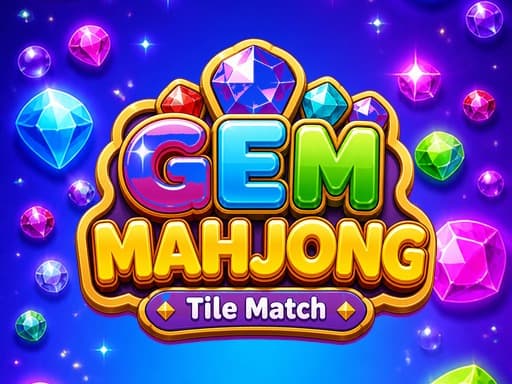
Classic mahjong solitaire deals 144 tiles into a layered layout and asks you to remove them in matching pairs, where a tile is free only if nothing sits on it and one of its long sides is open. Gem Mahjong keeps the pairing and the layers but drops the side rule: the only thing that locks a tile here is another tile sitting on top of it. It also swaps the traditional bamboos and characters for 15 gem symbols, which are easier to tell apart at a glance.
The bigger change is the tray. Tiles you pick go into a row of slots at the bottom of the screen, a match clears the pair out of the tray, and if you fill every slot without making a match the level is over. Add a timer on top and you have something with more pressure than the word 'relaxing' on the listing suggests.
How it plays
Tap a free tile and it drops into the tray; tap its twin and both disappear. The board is stacked, so clearing the top layer exposes what is underneath, and the game is really about deciding which pairs to take first so that the layers below open up before the tray clogs. Two extra slots can be unlocked when things get tight, and four power-ups sit below the tray: Magnet, Sweep, Shuffle and Flip. The listing names them without explaining them; Shuffle is self-evident and the rest you will learn by pressing them once.
It is built as a 1280 by 2276 portrait canvas, taller than most phone screens, and it works with both touch and mouse. On a desktop that means a narrow column in the middle of the window; on a phone the tiles are a comfortable size and the tray is under your thumb.
Tips that actually help
Tray matchers reward restraint: the tray is not a holding area for tiles you hope to match later, because every tile in it is a slot you no longer have.
- Never send a tile to the tray unless you can already see its partner free on the board. Speculative picks are how the tray fills.
- Clear from the top down and from the middle outwards. Tiles in the centre of a stack usually cover more than tiles at the edge, so removing them exposes more of the next layer.
- Keep at least two slots empty at all times. The moment you are down to one, stop and make a guaranteed match before doing anything else.
- With 15 symbols there will be lookalikes. Before you commit a pair, glance at the shape as well as the colour.
- Save Shuffle for when the exposed layer has no pairs at all, not for when you simply cannot spot one. Scan the board twice first; the timer is less urgent than it feels.
- Treat the extra slots as insurance, not as extra capacity to fill.
The tray and the timer
The tray is what makes this a different game from mahjong solitaire proper. In the classic form you can stare at the board indefinitely and the only way to lose is to run out of matches. Here you can lose by impatience, because the tray converts every hopeful tap into a permanent cost, and the timer stops you from doing the slow scan that mahjong normally rewards. That tension is the design. Whether you enjoy it depends on whether you want a puzzle or a test of nerve; it sits closer to a match-three game with a brain than to traditional mahjong solitaire.
Where it falls short
The listing calls it relaxing and then attaches a timer and a fail state, and those two things pull in opposite directions. The portrait canvas is a poor fit on a desktop monitor. The power-ups are named but never described, so the first time you press Magnet or Flip you are experimenting rather than choosing. And nothing is said about how progress is stored, so assume it lives in this browser.
What works
- Gem symbols are easy to tell apart
- The tray rule adds real decisions to pair matching
- Comfortable one-thumb play in portrait
What holds it back
- Timer works against the 'relaxing' pitch
- Power-ups are unexplained until you press them
- Narrow column on a desktop
Verdict
3.5Gem Mahjong is a quick, slightly tense matcher that suits a phone and a spare five minutes. If you like the pressure of a filling tray it is a good version of that idea; if you came for the slow, methodical mahjong solitaire of old, the timer will annoy you within a level or two. Desktop players should look elsewhere.
Questions people ask
- How is this different from normal mahjong solitaire?
- Two ways. A tile only needs to be uncovered to be free, with no side rule, and picked tiles go into a tray that ends the level if it fills without a match. There is also a timer.
- What do the power-ups do?
- The listing names four, Magnet, Sweep, Shuffle and Flip, and explains none of them. Shuffle presumably rearranges the tiles; the others you will have to try.
- Does it work on a desktop?
- Yes, with the mouse, but the canvas is a tall phone shape and shows as a narrow column. It is designed for a phone held upright.
- Is there a time limit?
- Yes. Each level has a timer, and you also lose if the slot tray fills without a match, so there are two ways to fail a level.
If you liked this, try
 Puzzle
Solitaire 8 Collection
4.5Eight solitaire variants under one menu, every deal checked to be solvable, with unlimited undo, hints and a shared daily challenge. Strongest on a desktop.
Read the review → Puzzle
2048 Premium
3.5The 2014 sliding-tile puzzle with a wardrobe: 4x4, 5x5 and 6x6 boards plus Undo, Swap and Delete tools. Arrow keys on a desktop, swipes on a phone.
Read the review → Arcade
Bubble Shooter Challenge
3.0A level-based colour-match bubble shooter with bomb, rainbow and fire boosters. Competent and familiar; the boosters do most of the thinking for you.
Read the review →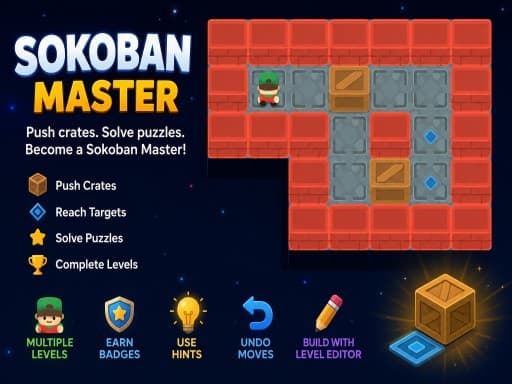 Puzzle
Sokoban Master
4.0A clean take on the 1982 crate-pushing classic with undo, star ratings for efficient solutions and a level editor. Best played with arrow keys.
Read the review →