Sokoban Master review
A clean take on the 1982 crate-pushing classic with undo, star ratings for efficient solutions and a level editor. Best played with arrow keys.
Sokoban Master
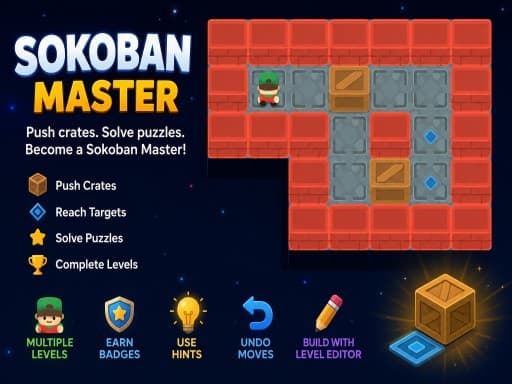
Loads the game in this frame. Nothing is installed; the game runs in your browser tab.
The game is made by its developer and served through its distributor, GameMonetize. It may show its own adverts inside the frame. Read our editorial policy for how we choose what to list.
Controls
Keyboard & mouse
- Arrow keys or WASD to move
- Z to undo the last push
- Mouse for menus and the level editor
Phone & tablet
- Tap a square on the board to walk there
- On-screen D-pad for single steps
- Undo button below the board
What it is
Sokoban is a warehouse puzzle from 1982 and its rule set has not needed a patch since: you are a worker on a grid, there are crates, there are target squares, and you push crates onto targets. You can push, never pull, and you can only push one crate at a time. That single restriction generates every hard moment in the game, because a crate shoved into a corner is stuck there for the rest of the level.
Sokoban Master is a faithful modern build of that idea. Levels are grouped into difficulty tiers that start with three-crate warm-ups and climb to layouts where the order you free the crates in is the entire puzzle. Each level tracks your move count and awards up to three stars for solving it close to the known optimum, which turns a finished level into a second, harder problem: can you do it in fewer pushes?
How it plays
On a keyboard this is exactly the game it should be. Arrow keys or WASD move one square per press, the worker animates quickly enough that holding a key does not feel sluggish, and Z steps back one move at a time, all the way to the start if you keep pressing it. Unlimited undo is the correct decision for Sokoban; without it the game becomes an exercise in restarting rather than reasoning.
On a phone the game offers two inputs. Tapping a reachable square walks the worker there along a path, which is convenient for crossing open floor, while an on-screen D-pad handles the precise single steps you need when lining up a push. Tap-to-walk will not push crates for you, which is the right call: pushes are the moves that matter, and they should be deliberate.
Tips that actually help
Sokoban punishes momentum. The players who get stuck are the ones who push the first crate they see. A few habits make the mid-tier levels far less painful.
- Before your first move, find every crate that is already touching a wall. A crate against a wall can only slide along that wall, so it must end on a target that lies along the same wall or it is already dead.
- Never push a crate into a corner unless the corner is a target square. Corners are permanent.
- Work out which target the last crate will use, then keep that lane clear. Blocking your own final approach is the most common late-level mistake.
- Use undo generously in the first pass to test a plan, then replay the level from scratch for the star rating once you know the order.
- If you feel the urge to move a crate back and forth to see what happens, stop and count squares instead. Sokoban is a counting game wearing a puzzle costume.
The level editor
The built-in editor is the feature that separates this from the dozens of other browser Sokobans. You paint walls, floor, crates and targets onto a grid, place the worker, and play-test immediately. There is no sharing system, so your creations live in this browser only, but as a way to understand why certain arrangements are hard it is genuinely useful. Building a level that is solvable but not trivial is a good afternoon.
Where it falls short
The visual style is functional rather than charming; this is a game about squares and it looks like one. Progress appears to be stored in the browser rather than an account, so clearing site data or switching devices will lose your stars. And because the level editor has no sharing feature, the puzzles you build stay on your machine.
What works
- Unlimited undo and clean keyboard controls
- Star ratings give finished levels a second life
- A real level editor with instant play-testing
- Loads fast and runs on anything
What holds it back
- Plain presentation
- Progress is tied to one browser
- Editor levels cannot be shared
Verdict
4.0If you already like Sokoban, this is one of the better ways to play it in a browser: the undo behaves, the star system adds a reason to replay, and the editor is a rare bonus. If you have never played Sokoban, start here with the easy tier and give it twenty minutes before you decide. It is slow, deliberate and quietly satisfying, and it will not hold your hand.
Questions people ask
- Can I pull crates in Sokoban Master?
- No. As in every traditional Sokoban, you can only push, and only one crate at a time. That restriction is the whole puzzle.
- Does it save my progress?
- Yes, in your browser's local storage. Completed levels and stars are kept between visits on the same device and browser, but they will not follow you to another device.
- Is there a move limit or timer?
- There is no timer and no hard move limit. Your move count is tracked and compared against a target to award stars, but you can always finish a level in as many moves as you need.
- Does it work on a phone?
- Yes. Tap a square to walk there or use the on-screen D-pad for single steps. It is playable, though the keyboard version is more comfortable for long sessions.
If you liked this, try
 Puzzle
Simple Nonogram
3.0A bare-bones picture-logic puzzle: fill cells so the row and column counts line up and an image appears. No timer, no clutter, works with mouse or touch.
Read the review →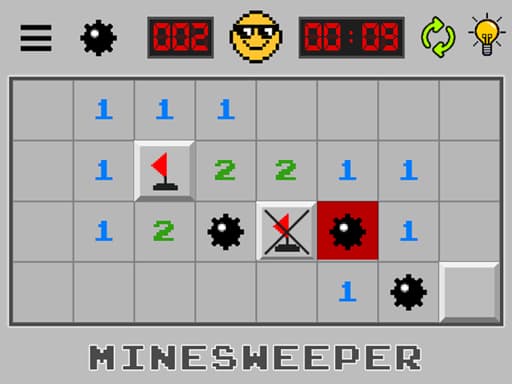 Puzzle
Minesweeper: Find Bombs
3.5A Godot-built minesweeper that swaps the classic board-size picker for a run of levels. Left-click opens a cell, a long press flags it. Best played at a desk.
Read the review →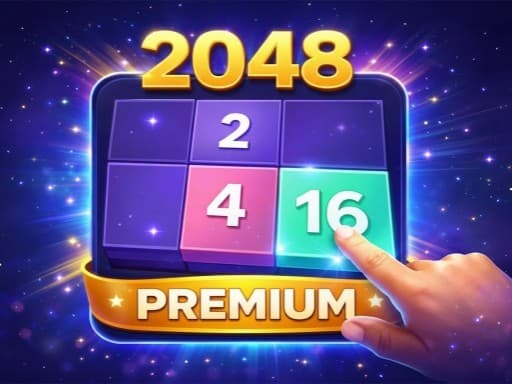 Puzzle
2048 Premium
3.5The 2014 sliding-tile puzzle with a wardrobe: 4x4, 5x5 and 6x6 boards plus Undo, Swap and Delete tools. Arrow keys on a desktop, swipes on a phone.
Read the review → Puzzle
Solitaire 8 Collection
4.5Eight solitaire variants under one menu, every deal checked to be solvable, with unlimited undo, hints and a shared daily challenge. Strongest on a desktop.
Read the review →Guides that mention this game
- explainer
How we review browser games
The exact process behind every review on this site: where the games come from, what gets one rejected, what each section means and how a rating is decided.
- explainer
What is an HTML5 browser game, and why does it need no download?
How a game runs inside a web page: canvas and WebGL, engines like Unity and Godot, why the first load is slow, and what a browser game cannot do.
- explainer
Keyboard or touch? How browser game controls really behave.
Why arrow keys and WASD coexist, what key repeat and ghosting do to your inputs, the five kinds of touch control, and how to read a review's controls box.