2048 Premium review
The 2014 sliding-tile puzzle with a wardrobe: 4x4, 5x5 and 6x6 boards plus Undo, Swap and Delete tools. Arrow keys on a desktop, swipes on a phone.
2048 Premium

Loads the game in this frame. Nothing is installed; the game runs in your browser tab.
The game is made by its developer and served through its distributor, GameMonetize. It may show its own adverts inside the frame. Read our editorial policy for how we choose what to list.
Controls
Keyboard & mouse
- Arrow keys slide every tile in that direction
- Click the buttons below the board for Undo, Swap and Delete
- Mouse for the mode menu
Phone & tablet
- Swipe in any direction to slide the tiles
- Tap the buttons below the board for the tools
What it is
2048 was written by Gabriele Cirulli in 2014 as a weekend project and released as open source, which is why there are thousands of versions of it. The rules fit in a sentence: slide all the tiles in one of four directions, any two touching tiles with the same number merge into their sum, a new 2 or 4 appears after every move, and you are trying to build a 2048 tile before the board fills.
2048 Premium is the same game with three board sizes and three tools. The standard 4x4 is joined by a 5x5 and a 6x6, and beneath the board sit Undo, Swap and Delete buttons that let you take back a move, exchange two tiles or remove one. The description also promises smooth animation and a clean look, which matters when you watch tiles slide a few hundred times a session.
How it plays
On a desktop the arrow keys do everything and the game responds instantly, which is the whole feel of 2048: the merges happen at the speed you can think. On a phone you swipe, which is slower and less precise, so the phone version rewards a more deliberate rhythm. Both share the same 800 by 600 canvas, with the board large in the middle and the tool buttons underneath.
The tools change the character of the game more than the board sizes do. Undo alone removes the single-mistake loss that makes classic 2048 tense. Swap and Delete go further: a well-timed Delete of a stray 2 that has trapped your corner is effectively a second life. The listing does not say whether the tools are rationed; if they are unlimited the game is essentially unlosable, and if not, when to spend them becomes the interesting decision.
Tips that actually help
2048 has a known correct strategy, and the difference between people who reach 2048 and people who stall at 512 is almost entirely whether they follow it.
- Choose a corner and keep your largest tile there for the whole game. Everything else follows from protecting that corner.
- Use only three directions. If your big tile is bottom-left, never swipe up. The fourth direction is what lets a small tile slide in behind your anchor and ruin the order.
- Keep the anchor row full. A full row with no matching neighbours stays put when you swipe along it, so it keeps its order; if it has a gap, fill it before anything else.
- Build a descending chain along the anchor row, 512-256-128-64 for example, so that one merge cascades into the next. This is the snake, and it is how big tiles actually get made.
- Do not chase a merge in the middle of the board if it means swiping the forbidden direction. Take the slower move that keeps your structure.
- On the 5x5 and 6x6 the same corner strategy applies, but the chain is longer and there is more slack, so aim for 4096 or higher.
Three boards and three tools
The 4x4 board is the puzzle as designed, and it remains the best version: it is tight enough that every move matters and a 2048 tile is a real achievement. The 5x5 gives you 25 cells and enough room that reaching 2048 becomes routine; the interesting goal there is 4096 or 8192, and the description does say the numbers continue past 2048. The 6x6 is roomier still and turns the game into a long, calm sort rather than a tense one. The larger boards are where this build is most forgiving; treat them as a place to practise the snake before taking it back to the 4x4.
Where it falls short
The tools take the tension out of 2048, and tension is most of what the game has. A purist will finish a 4x4 with Undo available and feel they did not really do it. The listing does not mention a leaderboard, per-mode best scores or how progress is stored, so assume your best is remembered in this browser. And a landscape 800 by 600 canvas leaves a square board with a lot of empty margin on a phone held upright.
What works
- Three board sizes, from tense to leisurely
- Instant arrow-key response on a desktop
- Undo makes it a good place to learn the corner strategy
What holds it back
- Swap and Delete make the 4x4 too forgiving
- No stated score history or leaderboard
- Landscape canvas wastes space on a phone
Verdict
3.5If you know 2048 and want a version with room to grow, the 5x5 and 6x6 boards give you that, and the presentation is easy on the eyes. If you have never reached 2048, this is a kind place to learn, because Undo lets you see exactly where your structure broke. Purists who want the original unforgiving 4x4 with no safety net should find a plainer build.
Questions people ask
- What happens after I make a 2048 tile?
- The game continues. Tiles keep merging, so 4096 and 8192 are the next targets, and on the bigger boards they are realistic ones.
- Are the power-ups limited?
- The listing does not say how many times Undo, Swap and Delete can be used per game. Find out on your first board before you rely on them.
- Does it work on a phone?
- Yes. Swipe in any direction to move the tiles, and tap the buttons under the board for the tools. Arrow keys are faster, but swiping is perfectly playable.
- Which board size should I start on?
- The 4x4. It is the original puzzle, and the strategy you learn there transfers directly to the larger boards.
If you liked this, try
 Puzzle
Sokoban Master
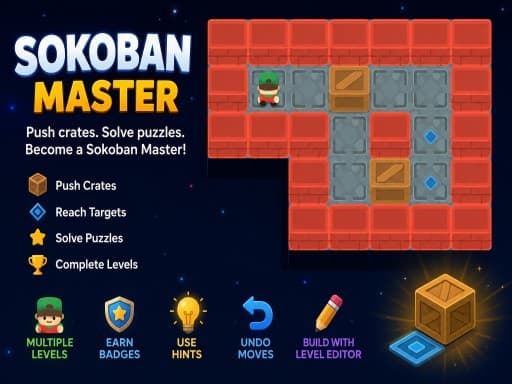
4.0A clean take on the 1982 crate-pushing classic with undo, star ratings for efficient solutions and a level editor. Best played with arrow keys.
Read the review → Puzzle
Gem Mahjong
3.5Mahjong-solitaire matching rebuilt around a slot tray and a timer: pick a free gem, find its twin, and never let the tray fill. A phone-first portrait game.
Read the review → Puzzle
Sudoku: Classic Minimalism
3.5A no-frills 9x9 sudoku built for a phone held upright. The rules are the standard three and nothing gets between you and the grid. Good for a quiet break.
Read the review → Puzzle
Solitaire 8 Collection
4.5Eight solitaire variants under one menu, every deal checked to be solvable, with unlimited undo, hints and a shared daily challenge. Strongest on a desktop.
Read the review →Guides that mention this game
- explainer
Keyboard or touch? How browser game controls really behave.
Why arrow keys and WASD coexist, what key repeat and ghosting do to your inputs, the five kinds of touch control, and how to read a review's controls box.
- how-to
Playing browser games on a Chromebook: what runs well and what to skip.
Chromebooks run the same Chrome as a desktop, so HTML5 games just work. Where 3D WebGL games stutter and why, plus which reviewed games suit the hardware.
- list
Nine browser games that fit a ten-minute break.
Nine reviewed games chosen for round length, quick starts and how easily you can stop: minesweeper, 2048, solitaire, ping pong, mini golf and more.