What is an HTML5 browser game, and why does it need no download?
How a game runs inside a web page: canvas and WebGL, engines like Unity and Godot, why the first load is slow, and what a browser game cannot do.
Every game on this site opens in the page you are already looking at. There is no installer, no app store, no permission screen. People find that either obvious or slightly suspicious, and both reactions deserve a proper answer. This is how the thing works, in about the amount of detail I would want before trusting it with an hour of my evening.
Where the name comes from
For most of the 2000s, browser games ran in Adobe Flash, a plug-in you installed separately and updated constantly. Adobe ended support for Flash Player at the end of 2020 and browsers removed it. What replaced it was not a product but a set of open standards that every browser already ships with: HTML, CSS and JavaScript, plus a handful of capabilities that arrived alongside the HTML5 specification. An HTML5 game is shorthand for a game built on those built-in capabilities and nothing else.
The label is slightly misleading, because the HTML part is tiny. A typical game's page is little more than a single canvas element and a script. Almost everything else is JavaScript, or code compiled to WebAssembly, drawing into that canvas sixty times a second.
Canvas and WebGL: the two ways to draw
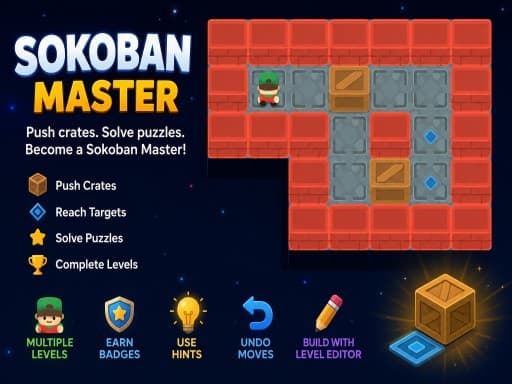
The canvas element is a rectangle of pixels that a script can draw on, and it offers two main drawing modes. The 2D context gives you commands for shapes, lines, text and images. It is simple, fast enough for almost any 2D game, and it is how a card game, a Sudoku grid or a crate-pushing puzzle like Sokoban Master is usually drawn.
WebGL is the other mode. It is a JavaScript interface to the graphics processor, based on OpenGL ES, the same family of graphics standards that phones use. A game uploads geometry and textures to the GPU and runs small programs called shaders on it, which is how a 3D driving game or a lit pool table happens inside a browser. WebGL 2 is the version current browsers support; a newer interface called WebGPU is arriving, but most games you will meet today still use WebGL. If a browser cannot reach the GPU, because hardware acceleration is off or the driver is one the browser distrusts, WebGL either falls back to a slow software imitation or fails outright. That is the root of most complaints that a game is a slideshow, and I have written the fixes up separately in Browser game running slowly?.
Sound comes from the Web Audio API and input from ordinary keyboard, mouse, touch and gamepad events. One detail worth knowing: browsers refuse to play sound until you have interacted with the page, which is why so many games open with a tap-to-start screen. It is a browser rule, not a design choice.
The engines behind most of them
Very few developers write directly against the canvas. They use an engine, and the engine decides a great deal about how the game behaves in a browser.
- Unity is the most common source of 3D browser games. Its web export compiles the game's C# code to WebAssembly and renders through WebGL. The download is large, often tens of megabytes, and there is a pause after the progress bar fills while the browser compiles the code. Once running, performance can be good on a machine with a real GPU. Motorcycle Stunt Racing 2025 is tagged by its developer as a Unity WebGL build.
- Godot is an open-source engine that also exports to the web through WebAssembly; Godot 4 web builds render with WebGL 2. Minesweeper: Find Bombs credits Godot 4.5 in its description.
- Phaser is a JavaScript framework rather than an editor, built for 2D. It renders with WebGL and falls back to the 2D canvas when WebGL is unavailable, so Phaser games run on almost anything.
- Construct is a browser-based editor where logic is assembled in event sheets instead of typed code, and it exports straight to HTML5. A lot of small puzzle and arcade games come from it.
Why the game sits inside a frame
On this site, and on nearly every site like it, the game is not part of the page. It is a separate web page, hosted on the game distributor's servers, shown inside an iframe: a window within the page. There are three reasons for that arrangement. The game's files live with the distributor, who licenses them to sites; the site embeds the address rather than copying the game. The frame gives the game a fixed rectangle at the developer's chosen proportions, so the site can offer reload and fullscreen buttons above it without touching the game's code. And the browser treats a frame from another domain as a stranger: the game cannot read or change the page around it, and the page cannot reach into the game.
The player on this site grants the frame exactly three extra abilities, fullscreen, sound playback and gamepad access, and nothing else. What that isolation does and does not protect you from is the subject of Are browser games safe?. The one everyday side effect: keyboard input goes to whatever has focus, so if the arrow keys scroll the page instead of moving your character, click on the game once.
Why the first load is slow, and the second is not
When you open a game, the browser downloads everything the game needs to start: code, images or 3D models, audio. A 2D puzzle might be a couple of megabytes. A Unity 3D game can be many times that, and on a slow connection you will wait. Some engines then compile the downloaded code before drawing the first frame, which adds a pause after the progress bar reaches the end.
The browser keeps copies of downloaded files in its cache. Provided the game's server permits caching, and most do, the next visit reads them from disk instead of the network and the game starts in a fraction of the time. Caching is not permanent. The browser discards cached files when it needs the space, and clearing browsing data removes them; when that happens you download the game again. It is normal and costs nothing but time. A brief hitch when a game enters a new area is usually the same thing on a smaller scale: a level or sound being fetched on demand.
What 'no install' actually means
Nothing is added to your operating system. There is no entry in your list of applications, no background service, no permission granted beyond what the browser itself asks you for. When you close the tab, the game stops and nothing of it keeps running.
It does not mean nothing is written to disk. The browser's cache holds the game's files, and the game's own save data, unlocked levels and scores, lives in the browser's site storage. Both are managed by the browser rather than the game, and both vanish if you clear browsing data, which is the whole story of why saves disappear. It also means a game cannot ask for more than the browser allows. It cannot read your files, see your other tabs or install anything. A game that asks you to install something is not a browser game; close it.
The honest limits
WebGL exposes a subset of what a native game can use, and a browser tab has a memory ceiling, so there are no console-grade graphics here. A 3D browser game looks like a mid-range mobile game because that is roughly the budget it has. Large open worlds are rare for the same reason.
A game drawing sixty frames a second keeps the CPU and GPU busy. Laptop fans spin up, and a phone warms and drains noticeably faster than it does for reading. Browsers pause a hidden tab's animation, so a game freezes when you switch tabs and picks up where it was when you return. You re-download a game whenever the cache is cleared, saves are tied to one browser, and most games were built for keyboard or touch first and adapted for the other, which I cover in Keyboard or touch?.
The trade is instant start, no commitment, and the freedom to close a game the moment it stops earning your time. For ten-minute breaks, which is what this site is about, that is the right trade.
Questions people ask
- Do I need to install anything to play?
- No. A current version of Chrome, Edge, Firefox or Safari is all that is required. If a game or a pop-up asks you to install a player, a plug-in or an update, it is not part of any browser game; close the tab.
- Why does a game take so long to load the first time?
- The browser is downloading the whole game, and for 3D engines then compiling it. The files are cached afterwards, so the second visit is much faster unless the cache has been cleared in between.
- Can I play a browser game offline?
- You cannot start one without a connection, because the files come from the game's server. Once a single-player game has fully loaded it will usually keep running if the connection drops, but leaderboards and any online mode will stop working.
- Do browser games use a lot of mobile data?
- A 2D puzzle is a few megabytes. A Unity or Godot 3D game can be tens of megabytes, and you download it again whenever the browser has dropped it from its cache. On a metered connection, stick to 2D games or load the heavier ones over Wi-Fi.
Games mentioned in this guide
 Puzzle
Sokoban Master
4.0A clean take on the 1982 crate-pushing classic with undo, star ratings for efficient solutions and a level editor. Best played with arrow keys.
Read the review →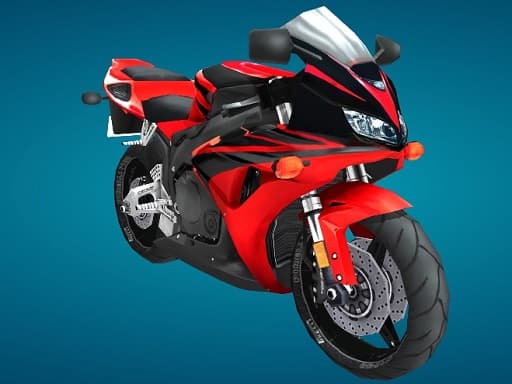 Racing
Motorcycle Stunt Racing 2025
3.5A Unity WebGL bike racer with a trick system, traffic and weather, plus Career, Trick Attack, Time Trial and an 8-player online mode, all driven with WASD.
Read the review →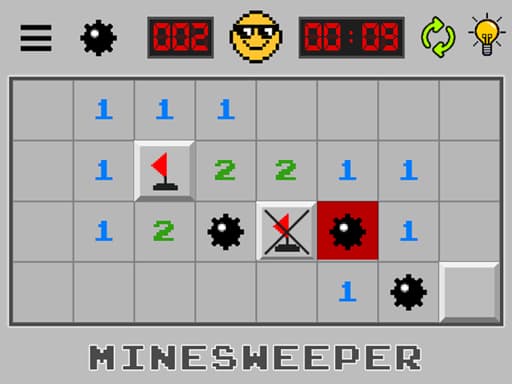 Puzzle
Minesweeper: Find Bombs
3.5A Godot-built minesweeper that swaps the classic board-size picker for a run of levels. Left-click opens a cell, a long press flags it. Best played at a desk.
Read the review →Keep reading
- how-to
Browser game running slowly? Nine fixes that actually work
Why a browser game stutters when the rest of the web feels fine, and the settings to check on a laptop, a phone and a Chromebook, in the order most likely to help.
- explainer
Are browser games safe? What a game in an iframe can and cannot do
How a browser game is walled off from the page around it, what it can store, what it cannot reach, and the handful of warning signs that mean you should close the tab.
- explainer
How browser games save your progress (and why it sometimes disappears)
Where a browser game keeps your levels, stars and unlocks, why the save is tied to one browser on one device, and the three things that wipe it without warning.