Keyboard or touch? How browser game controls really behave.
Why arrow keys and WASD coexist, what key repeat and ghosting do to your inputs, the five kinds of touch control, and how to read a review's controls box.
I make mobile games for a living, so I spend a good part of every working week arguing with input. The browser games reviewed here mostly come from developers who built for one input first and adapted for the other, and you can usually feel the seam. This guide is about where that seam tends to be and how to spot it before a game wastes your ten minutes.
Arrow keys and WASD: why both exist
Arrow keys are the older convention: four keys, one job each, on the right of the keyboard. WASD came out of PC first-person games in the late 1990s, where the left hand rests on W, A, S and D while the right hand steers with a mouse. Once it stuck, developers began offering it everywhere, including in games where no mouse is involved at all.
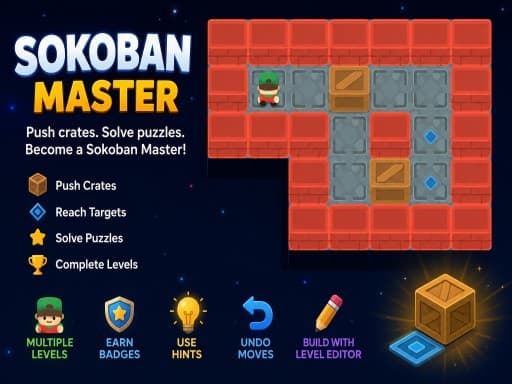
Most browser games accept both. Sokoban Master, Snow Rider Neo, Bus Driving Master 3D and Extreme Car Parking 3D all list arrows or WASD interchangeably. When a game accepts only one, it is usually the arrows; 2048 Premium and Neon Ball Slope both state arrow keys only.
There is a layout catch. WASD is only comfortable on a QWERTY-shaped keyboard. On a French AZERTY layout the same physical keys produce different letters, and whether a game copes depends on whether the developer read the physical key position or the character it produced. Browsers report both, and not every developer picks the right one. If W does nothing and Z moves you forward, that is what happened.
Space, Enter and the keys nobody had to learn
Space is the largest key on the board and you can hit it without looking, so it gets whichever action has to happen in a hurry: jump in Snow Rider Neo, nitro in Monsters Wheels 2 and Neon City Drift Racing, brake in Extreme Car Parking 3D. Enter has meant confirm in every dialog box you have ever used, so it means start or continue in games too; Neon City Drift Racing uses it to start from the main menu.
The catch is that Space and the arrow keys also scroll web pages. A game embedded in a page only receives key presses while it has focus. If pressing Space scrolls the page instead of firing the nitro, click on the game once and try again.
A second tier of conventions is worth learning because the letters recur across games: Z for undo (Sokoban Master and Solitaire 8 Collection both use it), P or Esc for pause (Tailoff.io and Snow Rider Neo), and single letters for hints or a new deal.
Key repeat and the six-key ceiling
Hold a key down and, after a short delay, the operating system starts sending repeated presses. A well-built game ignores those repeats and instead tracks whether the key is currently held, so holding right produces smooth movement. A game that relies on the repeats gives itself away: one step, a pause, then steady movement. Grid games can get away with it, because one step per press is the point; action games cannot.
Pressing several keys at once has its own limit. Many keyboards report at most six ordinary keys simultaneously, and cheaper ones suffer from ghosting, where certain combinations of three keys register as two. Solo play rarely hits either limit. Two players on one keyboard hit them constantly: Basketball League gives one player WASD plus V and B and the other the arrows plus L and K, and Neon Ping Pong splits the board the same way. Both players holding two directions and firing at the same moment is exactly the case where a budget keyboard drops an input. If a two-player game seems to ignore one player at the worst possible time, suspect the keyboard before the game.
Touch: five schemes wearing one name
The phrase touch controls covers approaches that feel nothing alike. The developer's instructions usually tell you which one you are getting.
- On-screen buttons: virtual keys drawn in the corners. Snow Rider Neo has left and right buttons you hold and a jump button you tap; Crazy Moto has gas and brake pedals; Monsters Wheels 2 makes acceleration automatic and gives you a nitro button plus tilt buttons that rotate the truck in the air. This is the most direct port of a keyboard scheme and the most cramped, because your thumbs cover part of the picture.
- Screen halves: press the left or right side to go that way, which is how Neon Ball Slope works on a phone. There is nothing to aim for, so there is nothing to miss, but it only works when the game needs two actions.
- Drag: your finger drags a character sideways, as in Stack Ball Run 3D; Tall Man Run 3D lists mouse movement for the same job, and a drag is its touch equivalent. Continuous and precise, and well suited to lane runners.
- Tap-to-go and swipe: Sokoban Master lets you tap a square to walk there, and 2048 Premium is swipe-driven on a phone. These suit turn-based games where timing does not matter.
- Pull and release: drag back from something and let go, with the distance setting the power, as in Toy Soccer Cup and Archery Master. This is the one scheme that is equally good with a mouse and a finger, because a mouse is also a drag-and-release device.
About 'tilt', and why portrait games exist
When a description says tilt it almost always means buttons that rotate a vehicle, not the phone's motion sensor. Real sensor steering is rare in embedded games for a structural reason: a game inside a frame can only read the motion sensors if the host page explicitly permits it, and the player on this site does not, so sensor-based tilt would simply be dead here.
Some games are tall rather than wide. Sudoku: Classic Minimalism, Gem Mahjong, whose developer describes it as a portrait layout, and Mini Tennis 3D all report a canvas that is taller than it is wide. These are phone-first designs: the layout assumes one hand holding the phone upright and a thumb doing everything. On a desktop the same game appears as a tall column with space either side, which is not a fault. The player here keeps the developer's proportions rather than stretching them, and a portrait shape is a reliable signal that the game was built for touch before anything else.
Why one game can be good on one input and poor on the other
As a developer, these are the things I watch break when a control scheme crosses over.
- Discrete versus continuous. A key is on or off; a mouse or finger gives a continuous position. Tailoff.io steers with the mouse on desktop and with a drag on a phone, and that translates well because both inputs are continuous. A game built around single key taps at speed, converted to on-screen buttons a thumb can miss, translates badly.
- Chording. Steering while jumping is trivial on a keyboard and needs two thumbs on a phone. Snow Rider Neo asks for both at once.
- Occlusion. Your hand covers part of a phone screen. A game whose hazards arrive from underneath the on-screen buttons was not designed on a phone.
- Aiming. Anything you drag to aim, pool, mini golf, archery, disc golf, is comfortable on both inputs, and so is anything the developer describes only as click or tap.
- Local two-player. In practice this is a keyboard feature. Neon Ping Pong is the exception that proves it: its first player can use a finger on the left half of the screen, which is a split-screen touch scheme, not a shared keyboard.
How to read a review's controls box
Every review on this site lists desktop and mobile controls separately, taken from the developer's own instructions, and the orientation is stated in the facts box. A few readings follow from that.
- The mobile line mentions on-screen buttons: a keyboard-first design adapted for phones. Fine in a racing game where acceleration is automatic; tiring in a reflex game.
- The mobile line says tap, drag or swipe with no buttons: built for touch, or genuinely input-neutral.
- The desktop line lists keys and the mobile line reads like an inference from them: the developer did not document phone play, so treat it as unconfirmed until the review says otherwise.
- The developer wrote only click or tap to play, as with Mini Pool 3D, Neon Mini Golf and Disc Golf Game Master: the input is a pointer, and whether that means a click or a drag you infer from the genre. Pool and golf are drag and release.
- Orientation is portrait: phone-first, and worth playing on a phone if you have the choice.
Questions people ask
- Can I use a gamepad?
- The player on this site allows the game to read a controller, but whether a game listens is entirely up to its developer. None of the developer instructions for the games reviewed here mentions a controller, so assume keyboard or touch unless a review says otherwise.
- Why do the arrow keys scroll the page instead of moving my character?
- The game does not have focus, so the browser is treating the keys as page controls. Click once inside the game and the keys will go to it instead.
- Can I connect a keyboard to my phone or tablet?
- A Bluetooth keyboard works with mobile browsers, and a game that lists keyboard controls should respond to it. A game whose instructions mention only touch may not listen for keys at all.
- Do touch controls work on a laptop with a touchscreen?
- Usually. The browser reports touches and most games treat a touch like a click or a drag. Whether a game shows its on-screen buttons on a laptop depends on how it decides you are on a phone, and that varies from game to game.
Games mentioned in this guide
 Puzzle
Sokoban Master
4.0A clean take on the 1982 crate-pushing classic with undo, star ratings for efficient solutions and a level editor. Best played with arrow keys.
Read the review → Racing
Snow Rider Neo
3.5A 3D endless sledding run down a forested mountain with trees, snowballs and log jumps, three sleds with different handling and weather that closes in.
Read the review → Puzzle
2048 Premium
3.5The 2014 sliding-tile puzzle with a wardrobe: 4x4, 5x5 and 6x6 boards plus Undo, Swap and Delete tools. Arrow keys on a desktop, swipes on a phone.
Read the review → Arcade
Neon Ball Slope
3.5An endless neon 3D slope game: steer a glowing ball down a track that gets steeper and faster, with coins, XP, gear, missions and daily leaderboards on top.
Read the review →Keep reading
- explainer
How we review browser games
The exact process behind every review on this site: where the games come from, what gets one rejected, what each section means and how a rating is decided.
- explainer
What is an HTML5 browser game, and why does it need no download?
How a game runs inside a web page: canvas and WebGL, engines like Unity and Godot, why the first load is slow, and what a browser game cannot do.
- how-to
Browser game running slowly? Nine fixes that actually work
Why a browser game stutters when the rest of the web feels fine, and the settings to check on a laptop, a phone and a Chromebook, in the order most likely to help.