Minesweeper: Find Bombs review
A Godot-built minesweeper that swaps the classic board-size picker for a run of levels. Left-click opens a cell, a long press flags it. Best played at a desk.
Minesweeper: Find Bombs
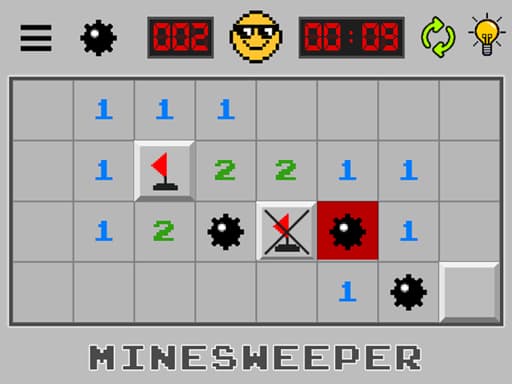
Loads the game in this frame. Nothing is installed; the game runs in your browser tab.
The game is made by its developer and served through its distributor, GameMonetize. It may show its own adverts inside the frame. Read our editorial policy for how we choose what to list.
Controls
Keyboard & mouse
- Left-click to open a cell
- Press and hold on a cell to place or remove a flag
- Mouse only; no keyboard needed
Phone & tablet
- Tap to open a cell
- Long-press to place or remove a flag
- Landscape layout; hold the phone sideways
What it is
Minesweeper has shipped with desktop operating systems since the early 1990s and its rules have not changed: a grid hides some number of mines, opening a safe cell shows how many mines touch it, and you use those counts to open every safe cell without opening a mine. Flags mark the mines you have deduced. That is the entire game, and it is a better logic puzzle than its reputation as an office time-waster suggests.
Minesweeper: Find Bombs is a straight build of that idea in the Godot engine (version 4.5, according to the developer). Its one visible departure from tradition is the framing: rather than choosing a board size from a menu, the description talks about clearing a field to pass the level, so expect a progression of boards rather than the beginner, intermediate and expert presets veterans know.
How it plays
Left-click opens a cell. Flagging is done with a press-and-hold rather than the right-click most desktop players reach for; if right-click also works, the listing does not say so, and I would not count on it. The long press is designed for touch, where it is the natural gesture, and using it with a mouse too keeps the game consistent across devices at the cost of a little speed for veterans.
The canvas is 1280 by 720, so it is a widescreen game. On a phone held sideways that gives a reasonable cell size; held upright it does not fit. Because it is a Godot web export rather than hand-written canvas code, expect a slightly longer first load than the average browser puzzle; once running it is a static grid and asks almost nothing of your machine.
Tips that actually help
Minesweeper is deterministic far more often than new players believe. Most losses are guesses made when a deduction was available. The patterns below cover the majority of boards.
- A number that touches exactly as many unopened cells as its value means every one of those cells is a mine. Flag them all, then look at the neighbours those flags satisfy.
- A number whose value is already met by flags means every other unopened cell around it is safe. Open them; this is where most of the board falls.
- Learn 1-2-1 along a straight edge: the mines sit under the two 1s, and the cell under the 2 is safe. Its cousin 1-2-2-1 puts the mines under the two 2s.
- Compare two adjacent numbers. If a 1 and a 2 share the same unopened cells except for one extra beside the 2, that extra cell is a mine. This subtraction move solves what looks like a guess surprisingly often.
- Flag only mines you have proved. A flag placed on a hunch poisons every deduction that depends on it.
- If you truly must guess, pick a cell bordering the largest unopened region, which opens the most board if it is safe, rather than one wedged between numbers.
Levels rather than board sizes
Replacing the classic size picker with a level sequence changes who the game is for. A ladder of boards suits someone learning minesweeper, because each level can nudge the mine density up a little and there is a sense of getting somewhere. It suits an expert less well, because experts want to jump straight to a large, dense board and time themselves against it, and the listing says nothing about a timer, a best-time table or a way to choose difficulty directly. I cannot confirm how many levels there are or how steeply they climb.
Where it falls short
The long-press flag is a small tax on desktop speed, and the absence of any stated right-click or chording support will bother experienced players. The listing does not mention a timer or statistics, both of which are half the appeal for anyone who has played it seriously. And as with most browser puzzles, assume your level progress lives in this browser only.
What works
- Rules are exactly the classic ones
- Same gesture set on touch and mouse
- Level structure eases newcomers in
- Light on hardware once loaded
What holds it back
- Long-press flagging is slow with a mouse
- No stated timer or statistics
- Experts cannot pick a board size directly
Verdict
3.5A tidy, honest minesweeper that is easiest to recommend to people who never quite learned the game and want a ladder of boards to climb. If you already play expert boards against the clock, the long-press flag and the lack of a stated timer will frustrate you, and a purpose-built speed client will serve you better. For everyone else it is a good ten minutes of deduction.
Questions people ask
- How do I place a flag?
- Press and hold on a cell; the same long press removes it. The listing does not mention right-click, so use the hold gesture with a mouse too.
- Is the first click always safe?
- The listing does not say and implementations vary, so treat your opening click as a small gamble and start where a safe cell would open a lot of board, such as near the centre.
- Does it work on a phone?
- Yes, with tap to open and long-press to flag, which is the natural touch control for minesweeper. Hold the phone sideways; the game is a 16:9 landscape canvas.
- Do I have to flag every mine to win?
- In standard minesweeper, no: you win by opening every safe cell, and flags are bookkeeping. The listing describes the goal as clearing the field without hitting a mine, which is consistent with that.
If you liked this, try
 Puzzle
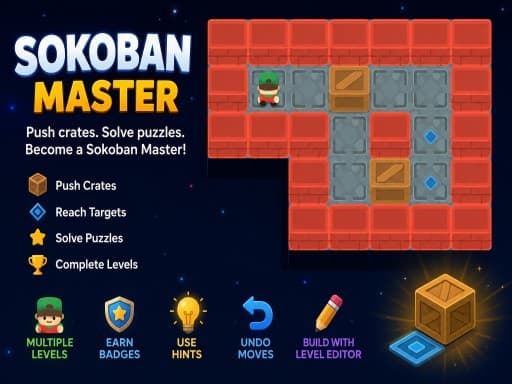
Sokoban Master
4.0A clean take on the 1982 crate-pushing classic with undo, star ratings for efficient solutions and a level editor. Best played with arrow keys.
Read the review →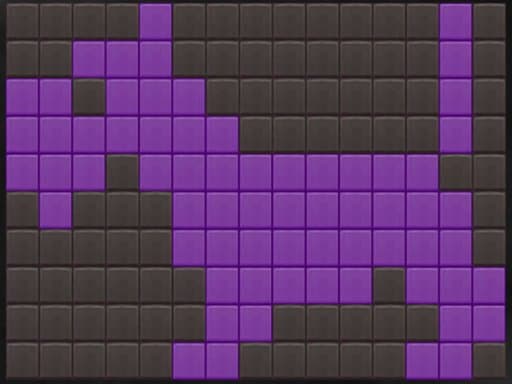 Puzzle
Simple Nonogram
3.0A bare-bones picture-logic puzzle: fill cells so the row and column counts line up and an image appears. No timer, no clutter, works with mouse or touch.
Read the review →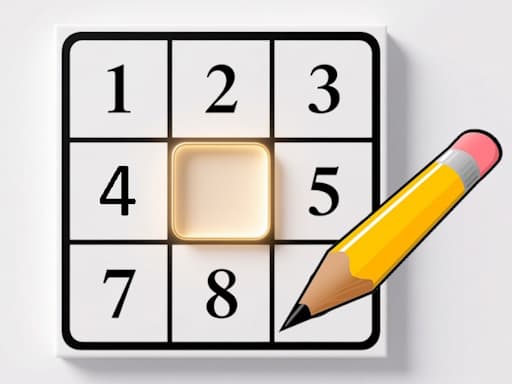 Puzzle
Sudoku: Classic Minimalism
3.5A no-frills 9x9 sudoku built for a phone held upright. The rules are the standard three and nothing gets between you and the grid. Good for a quiet break.
Read the review → Puzzle
Solitaire 8 Collection
4.5Eight solitaire variants under one menu, every deal checked to be solvable, with unlimited undo, hints and a shared daily challenge. Strongest on a desktop.
Read the review →Guides that mention this game
- explainer
What is an HTML5 browser game, and why does it need no download?
How a game runs inside a web page: canvas and WebGL, engines like Unity and Godot, why the first load is slow, and what a browser game cannot do.
- how-to
Playing browser games on a Chromebook: what runs well and what to skip.
Chromebooks run the same Chrome as a desktop, so HTML5 games just work. Where 3D WebGL games stutter and why, plus which reviewed games suit the hardware.
- list
Nine browser games that fit a ten-minute break.
Nine reviewed games chosen for round length, quick starts and how easily you can stop: minesweeper, 2048, solitaire, ping pong, mini golf and more.