Basketball League review
2D arcade basketball in 1v1 or 2v2 form, with a CPU ladder of Bronze, Silver and Gold Cups and proper local two-player on one keyboard.
Basketball League
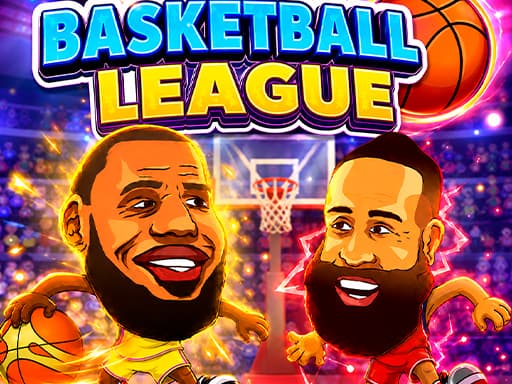
Loads the game in this frame. Nothing is installed; the game runs in your browser tab.
The game is made by its developer and served through its distributor, GameMonetize. It may show its own adverts inside the frame. Read our editorial policy for how we choose what to list.
Controls
Keyboard & mouse
- Solo: arrow keys move, X shoots or dunks, Z fires the supershot
- Two players: P1 on WASD with V and B, P2 on the arrow keys with L and K
- Stand on a shot or dunk spot, hold the shoot key to charge, release
Phone & tablet
- No touch controls are documented
- The developer lists keyboard input only
- Play on a device with a physical keyboard
What it is
Basketball League is arcade basketball in the older sense: a flat 2D court, a handful of moves and matches that are over in minutes. Games are one-on-one or two-on-two. You can dribble, dash for a burst of speed, block, and score from range or dunk at the rim, and there is a supershot with its own key that the developer flags as the move to master. The single-player structure is a ladder of Bronze, Silver and Gold Cups, with tournaments and achievements hanging off it.
The feature that matters for this site is local two-player. One keyboard, two people, and the developer documents a full split: player one on WASD with V and B, player two on the arrow keys with L and K. That is the arrangement I would want, because it keeps each player's hands at opposite ends of the board.
How it plays
Shooting is spot-based. You move your player to a shot spot or a dunk spot, hold the shoot key to charge and let go. That is a timing window rather than an aim, and it moves the skill from geometry to nerve: charge too little and the shot falls short; hold too long with a defender closing and you get blocked. Dash lets you create the separation to reach a spot, block is the defensive answer, and getting the jump timed to the release is the duel the whole game is built around.
Solo, the CPU ladder gives you a reason to learn the charge timing on lower-pressure opponents before Gold. Two-on-two adds a computer-controlled teammate to each side, so passing and spacing start to matter, though how much the AI partner does for you is something the description does not spell out.
Tips that actually help
Spot-and-charge basketball has a small number of habits that separate players who win Gold from players who keep losing to a well-timed block.
- Learn the charge duration on an empty court before your first match. Feel for the point where the release goes in, and treat that as a rhythm you can reproduce without looking.
- Dash first, shoot second. Use the dash to reach the spot with a gap on the defender, then start the charge; starting the charge while still moving into position gives the defence extra time.
- On defence, do not jump at the charge, jump at the release. A block timed to the start of a charge lands you back on the floor as the shot goes up.
- If the supershot turns out to be limited or has a cooldown, save it for contested looks. Spending it on an open shot is a waste.
- In two-on-two, let your AI partner draw a defender and take the spot they vacate rather than crowding the same lane.
- In two-player, agree a keyboard rule before tip-off: elbows in, and nobody rests a palm on the space bar.
Two-player mode
Two-player on one keyboard is the reason to open this game rather than one of the many solo hoops toys. The key layout is sensible and the matches are short, so a best-of-three fits into a break. Two practical warnings. Cheaper keyboards can drop a key when several are held at once (the problem is called ghosting), and a basketball game with two people dashing and charging holds a lot of keys. And the documentation says nothing about touch, so this is a laptop or desktop game, not a phone game. If your household argues over who was better at a court game a decade ago, this settles it in about four minutes. For a broader look at the trade-offs, see keyboard versus touch controls.
Where it falls short
The absence of any documented touch scheme rules out phones and most tablets. The cup ladder is a fixed sequence of CPU opponents, and games built on a charge-and-release window can feel solved once you have the timing down; the two-on-two and the second human are what keep it from going flat. The developer gives no detail on how cup progress or achievements are saved, so assume this browser only.
What works
- Local two-player with a clean keyboard split
- Short matches with a clear CPU ladder
- Dash, block and charge give a real duel
- One-on-one and two-on-two variety
What holds it back
- Keyboard only; no touch controls documented
- Solo play can feel solved once the timing clicks
- Progress storage undocumented
Verdict
4.0If you have a second person and a keyboard, Basketball League is one of the better ways to spend five minutes on this site: the split controls are sensible, the charge-and-block duel is genuinely two-sided and the matches end before anyone gets bored. Solo, it is a decent ladder that will feel mastered fairly quickly. Skip it on a phone; there is nothing here for touch.
Questions people ask
- Can two people play on one keyboard?
- Yes. Player one uses WASD to move with V and B for the shot and supershot; player two uses the arrow keys with L and K. Both sets are documented by the developer.
- Does it work on a phone?
- Not usefully. The only controls listed are keyboard keys. A tablet with a paired keyboard may work, but the game is designed for a desktop or laptop.
- How do I score?
- Move to a shot spot or dunk spot, hold the shoot key to charge, then release. Timing the release is the skill; there is no aiming.
- Is there an online mode?
- None is described. The developer lists solo play against the CPU and local two-player on the same machine.
If you liked this, try
 Sports
Toy Soccer Cup
3.5Turn-based tabletop football where you flick miniature players to pass and shoot. Quick Match, Tournament, same-device two-player and an online mode.
Read the review → Sports
Neon Ping Pong
3.0A Pong-style paddle game in neon with a computer opponent that ramps up, local two-player on one screen, and settings for paddle size and a ball speed cap.
Read the review → Sports
Mini Tennis 3D
3.0A portrait, one-tap tennis rally game where the ball gets faster the longer you last. Reflex timing and a high score to chase, not sets and games.
Read the review → Arcade
Stickboy War
3.5A 2D stickman siege game: dig for gold, field a mix of diggers, shield-bearers, archers and bombers, and break the enemy gate across ten-plus campaign levels.
Read the review →Guides that mention this game
- explainer
Keyboard or touch? How browser game controls really behave.
Why arrow keys and WASD coexist, what key repeat and ghosting do to your inputs, the five kinds of touch control, and how to read a review's controls box.
- how-to
Playing browser games on a Chromebook: what runs well and what to skip.
Chromebooks run the same Chrome as a desktop, so HTML5 games just work. Where 3D WebGL games stutter and why, plus which reviewed games suit the hardware.
- list
Nine browser games that fit a ten-minute break.
Nine reviewed games chosen for round length, quick starts and how easily you can stop: minesweeper, 2048, solitaire, ping pong, mini golf and more.