Playing browser games on a Chromebook: what runs well and what to skip.
Chromebooks run the same Chrome as a desktop, so HTML5 games just work. Where 3D WebGL games stutter and why, plus which reviewed games suit the hardware.
For browser games, a Chromebook is the most honest machine you can own. There is no app store to route around and no other runtime to fall back on: the browser is the operating system, and the games on this site were built for that browser. Most of the catalogue runs well. The exceptions are predictable, and this guide is about predicting them.
Chrome is Chrome, so HTML5 games run natively
ChromeOS ships the same Blink rendering engine and V8 JavaScript engine as Chrome on Windows or a Mac. An HTML5 game is a web page that draws to a canvas element, plays sound through the Web Audio API and reads keyboard, mouse and touch input through ordinary browser events. None of that needs a plug-in, an extension or an Android app. If a game works in Chrome on a laptop, the code path on a Chromebook is the same.
So compatibility is almost never the problem. When a game misbehaves on a Chromebook it is nearly always performance or input, and both come down to what the machine is and how the game was built.
What the hardware can and cannot do
Chromebooks span a wide range. At the bottom are entry-level models with an ARM or Intel Celeron-class processor, 4 GB of memory and integrated graphics. At the top are Intel Core machines that are simply laptops. Two-dimensional games are indifferent to that spread: a sudoku grid, a card table or a side-scrolling bike track asks for so little that the cheapest model draws it at full speed.
3D games are where the range shows. They render through WebGL, which hands drawing to the graphics chip, and a budget integrated GPU can only do so much per frame. Historically the cheapest ARM Chromebooks were the weakest here; newer ARM chips have closed much of the gap, and the Celeron class sits in the middle. If a 3D game runs but the frame rate wobbles when the scene gets busy, you are hitting the GPU. If it loads slowly and the whole machine feels heavy while it does, you are hitting memory.
One check worth knowing: type chrome://gpu into the address bar. If WebGL is listed as hardware accelerated, the graphics chip is in use; if it says software only, the browser is drawing 3D on the processor and any 3D game will crawl.
Why Unity exports stutter while 2D games fly
Most 3D browser games are exported from an engine such as Unity, and the export has a cost unrelated to how good the game is. The engine compiles the game to WebAssembly and ships its own runtime with it, so the download is tens of megabytes before a single asset loads. The browser then decompresses and compiles that code, allocates a large block of memory for the game's heap, and keeps it all resident while the tab is open.
On a 4 GB Chromebook with other tabs open, that heap is a real fraction of the machine. ChromeOS handles memory pressure by discarding background tabs, which is why a 3D game you switched away from sometimes reloads from the title screen when you return. A 2D canvas game has none of this overhead: a few hundred kilobytes of script, small images, and a draw loop a decade-old phone could keep up with.
The rule of thumb: a 3D game will run on a budget Chromebook, but expect a long load and close other tabs first. A 2D game will open in a second and stay open.
Keyboard, trackpad and touchscreen
Many Chromebooks have a touchscreen, and convertible models fold into a tablet. Both inputs reach the game: Chrome fires touch events from the screen and mouse events from the trackpad, and the keyboard is a normal keyboard. That is more input than a phone or a desktop has on its own.
The catch is detection. Many games decide whether to show on-screen buttons from the browser's user-agent string or the screen size rather than by asking whether a touchscreen exists. A Chromebook in laptop mode reports itself as desktop Chrome, so a driving game may hide its tilt buttons and expect arrow keys even while you prod the screen. Some games test for touch directly and behave better. When a review lists keyboard controls, assume those are what you will get.
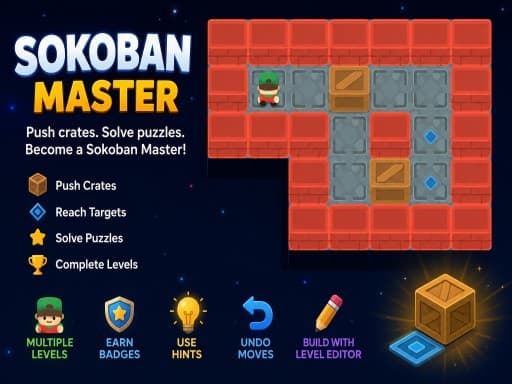
In practice: keyboard for anything with arrow-key movement, such as Sokoban Master or 2048 Premium; touchscreen for tap-and-drag games such as Solitaire 8 Collection or Neon Mini Golf, where a finger is as precise as a trackpad and more comfortable.
School-managed Chromebooks
If the Chromebook was issued by a school, it is managed by the school's administrator, and what it can open is a policy decision made there. Policies vary widely: some schools allow any site during breaks, some block whole categories, some allow only a list. None of that is set by the game or by this site.
If a game will not load on a managed device and the same page works on a home machine, the answer is with the school, not the browser. Ask rather than look for a way around.
Where your saves live
Browser games keep progress in the browser's storage, usually localStorage or IndexedDB, tied to two things: the Chrome profile you are signed into and the web address the game was served from. On a Chromebook the profile is your Google account, so your saves are there each time you sign in on that machine. Sign in as a guest and everything is wiped when the session ends. Clear browsing data with site data ticked and the saves go with it.
Two details trip people up. Chrome Sync carries bookmarks, passwords and settings between devices, but not site storage, so a save made on a school Chromebook will not appear on the one at home. And the games here run inside a frame loaded from the distributor's own address, so the save belongs to that address rather than to this site; that is normal, and it is why progress survives even if you reach the game from a different page. How browser games save progress goes into the mechanics.
What to play from this site on a Chromebook
Working from the categories on this site, the fit is roughly this.
- Puzzle and logic is the safest category on any Chromebook: everything in it is two-dimensional and light. Sudoku: Classic Minimalism, Minesweeper: Find Bombs and Simple Nonogram will run on the cheapest model you can find.
- Sports is mostly fine. The 2D games such as Neon Ping Pong and Basketball League are trivial to run, and both offer two players on one keyboard, which suits a shared laptop. The 3D ones, such as Mini Pool 3D, draw a single table and a handful of balls, light work even for budget graphics.
- Racing splits cleanly. The 2D physics games, Crazy Moto among them, are ideal with arrow keys. The 3D driving games, Motorcycle Stunt Racing 2025 and Bus Driving Master 3D in particular, are the heaviest things in the catalogue and the ones to skip on an entry-level machine.
- Arcade is a mix. Sand Blocks and Bubble Shooter Challenge are light. Stack Ball Run 3D and Tall Man Run 3D are 3D but simple scenes and usually manageable. Terrifying Zombies: Tower Defense II is 2D but draws at 1920 by 1080, so it wants a machine that is not already struggling.
Questions people ask
- Can I play these games offline on a Chromebook?
- No. The games load from the distributor's servers each time you open them, so you need a connection to start one. A game already running will usually keep going if the connection drops, but a reload will fail until you are back online.
- Do 3D games drain the battery faster?
- Yes, noticeably. WebGL keeps the graphics chip busy every frame, and a heavy Unity export also holds the processor at a higher load than a 2D game. Unplugged, the puzzle and 2D sports games are the kind ones.
- Do I need the Play Store or Android apps to play?
- No. Everything on this site runs in the Chrome browser tab. Android app support on a Chromebook is a separate system and is not involved.
Games mentioned in this guide
 Puzzle
Sokoban Master
4.0A clean take on the 1982 crate-pushing classic with undo, star ratings for efficient solutions and a level editor. Best played with arrow keys.
Read the review → Puzzle
2048 Premium
3.5The 2014 sliding-tile puzzle with a wardrobe: 4x4, 5x5 and 6x6 boards plus Undo, Swap and Delete tools. Arrow keys on a desktop, swipes on a phone.
Read the review → Puzzle
Solitaire 8 Collection
4.5Eight solitaire variants under one menu, every deal checked to be solvable, with unlimited undo, hints and a shared daily challenge. Strongest on a desktop.
Read the review → Sports
Neon Mini Golf
4.0A 39-hole browser mini golf with synthwave looks, drag-and-release putting, and bumpers, walls and teleporters in the way. Stars unlock the later holes.
Read the review →Keep reading
- how-to
Browser game running slowly? Nine fixes that actually work
Why a browser game stutters when the rest of the web feels fine, and the settings to check on a laptop, a phone and a Chromebook, in the order most likely to help.
- explainer
How browser games save your progress (and why it sometimes disappears)
Where a browser game keeps your levels, stars and unlocks, why the save is tied to one browser on one device, and the three things that wipe it without warning.
- explainer
Keyboard or touch? How browser game controls really behave.
Why arrow keys and WASD coexist, what key repeat and ghosting do to your inputs, the five kinds of touch control, and how to read a review's controls box.