Elite Chess review
Chess with three clocks, Bullet, Blitz and Classic, an Elo-style rating and a Bronze-to-Diamond ladder on a 3D board. Who you are playing is not stated.
Elite Chess

Loads the game in this frame. Nothing is installed; the game runs in your browser tab.
The game is made by its developer and served through its distributor, GameMonetize. It may show its own adverts inside the frame. Read our editorial policy for how we choose what to list.
Controls
Keyboard & mouse
- Click a piece, then click the square to move it there
- Mouse for the mode menu
Phone & tablet
- Tap a piece, then tap its destination square
- Landscape canvas; hold the phone sideways
What it is
Elite Chess is chess with the one addition every serious player expects: a clock. You choose from three modes, Bullet, Blitz and Classic, each with its own total time and per-move increment, then play a game on a 3D board. Winning earns rating points on an Elo-style scale, and accumulated points move you through ranks from Bronze to Diamond.
What the listing does not say is who you are playing. There is no mention of accounts, matchmaking or friends, so I read this as a solo game against a built-in opponent, with the rating and rank acting as a progress ladder rather than a measure against other humans. If it turns out to be networked that changes things; until then, treat the Elo number as your score against the machine.
How it plays
You move by selecting a piece and its destination, with a mouse or a finger. The 800 by 600 canvas is landscape, so a phone wants to be held sideways, and the 3D perspective means the far ranks are drawn smaller than the near ones. That is fine in Classic, where you have time to look; in Bullet a perspective board is harder to read than a flat one and you will mis-tap more than you would like.
The three clocks are the real content. Bullet is a sprint where the flag decides as many games as checkmate does. Blitz gives you enough time for a plan but not for deep calculation. Classic is chess as most people imagine it, with the clock as a backstop. The listing does not give the exact minutes and increments, so check the mode screen before committing to a game you cannot finish in your break.
Tips that actually help
Chess advice fills libraries, so I will stick to what matters for a browser game with a clock and a ladder.
- Before every move, in any time control, check three things in order: can I be checked, can anything of mine be captured, can I capture anything. Most games below club level are decided by a piece left hanging.
- Develop knights and bishops, castle early and connect your rooks before you start attacking. Bringing the queen out on move three loses more games than it wins.
- In Bullet, play openings you know cold and make safe, quick moves rather than best ones; with an increment, a fast move that adds time back beats a slow brilliant one.
- In Blitz, think on your opponent's clock. Decide your reply to their most likely move before they make it.
- In Classic, when you have found a good move, look for a better one. The time is there to be used.
- In the endgame, activate the king. It is a fighting piece once the queens are off, and passive kings lose drawn positions.
The rating and the ranks
Elo is a rating system devised by Arpad Elo for the chess federations: beat a stronger opponent and you gain a lot, beat a weaker one and you gain little, and a loss costs you in proportion. Here it drives a ladder from Bronze up to Diamond. Against a fixed computer opponent the number is a progress meter rather than a true strength estimate, but it still gives every game a stake and lets you watch your improvement across weeks rather than single games. Whether losses subtract points, and whether the rating is per time control or pooled, the listing does not say.
Where it falls short
The uncertainty about the opponent is the biggest issue; a chess game that does not say whether you are facing an engine or a person is leaving out the most important fact. The 3D board looks the part and reads worse than a flat one at speed. And nothing is stated about saving your rating between visits, so assume it lives in this browser.
What works
- Three proper time controls with increments
- A rating and rank ladder gives every game a stake
- Classic chess rules with a real clock
What holds it back
- Opponent type is not stated
- 3D perspective is hard to read at Bullet speed
- Rating persistence is unclear
Verdict
3.5Elite Chess is a decent way to play timed chess in a browser without the ceremony of a chess site, and the three clocks cover everything from a two-minute break to a proper sit-down game. Take the rating as a personal ladder rather than a real Elo. Players who want to face humans, or who need a flat 2D board for speed chess, should use a dedicated chess site; casual players who want a clock and a sense of progress will be happy here.
Questions people ask
- Do I play against a computer or other people?
- The listing does not say. Nothing mentions accounts or matchmaking, so I would expect a built-in computer opponent; confirm it on the mode screen.
- What do Bullet, Blitz and Classic mean?
- They are time controls: Bullet is the fastest, usually a minute or two per side, Blitz gives a few minutes, and Classic is a long game. Each has its own duration and per-move increment here; the exact figures are not in the listing.
- How does the rating work?
- Winning matches earns Elo points, and points move you up the ranks from Bronze to Diamond. The listing does not say whether losing subtracts points.
- Does it work on a phone?
- Yes, by tapping pieces and squares. Hold the phone sideways for the landscape board, and prefer Blitz or Classic to Bullet, where the small 3D squares are easy to mis-tap.
If you liked this, try
 Puzzle
Solitaire 8 Collection
4.5Eight solitaire variants under one menu, every deal checked to be solvable, with unlimited undo, hints and a shared daily challenge. Strongest on a desktop.
Read the review →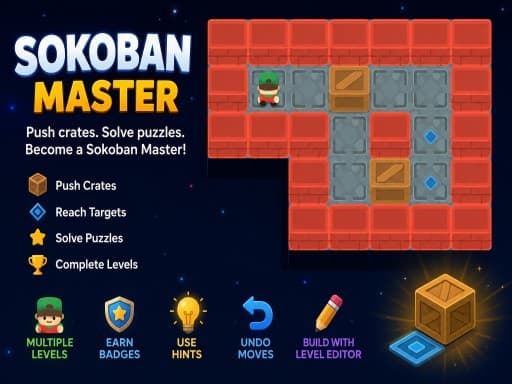 Puzzle
Sokoban Master
4.0A clean take on the 1982 crate-pushing classic with undo, star ratings for efficient solutions and a level editor. Best played with arrow keys.
Read the review → Sports
Mini Pool 3D
3.5A three-mode 3D pool table for the browser: free play, 20 Arcade layouts and a clock-based mode. Solo potting practice with no opponent to beat.
Read the review → Sports
Neon Ping Pong
3.0A Pong-style paddle game in neon with a computer opponent that ramps up, local two-player on one screen, and settings for paddle size and a ball speed cap.
Read the review →Guides that mention this game
- explainer
Are browser games safe? What a game in an iframe can and cannot do
How a browser game is walled off from the page around it, what it can store, what it cannot reach, and the handful of warning signs that mean you should close the tab.
- list
Nine browser games that fit a ten-minute break.
Nine reviewed games chosen for round length, quick starts and how easily you can stop: minesweeper, 2048, solitaire, ping pong, mini golf and more.
- opinion
What makes a good puzzle difficulty curve? A game developer's view.
A mobile puzzle developer on safe first levels, the aha moment, plateaus versus spikes, timers, undo and stars, tested against sudoku, sokoban and 2048.