How we review browser games
The exact process behind every review on this site: where the games come from, what gets one rejected, what each section means and how a rating is decided.
This page exists so you can decide how much to trust the reviews. It describes what I actually do before a game appears on the site, in the order I do it, and the things I refuse to claim. If you only read one guide here, this is the one that tells you how to read the others.
Where the games come from
Every game on the site is an HTML5 game licensed to websites through a distributor called GameMonetize. That is the normal way browser games reach the public: a developer uploads a game once, and the distributor lets sites like this one embed it in a frame. The catalogue runs to thousands of titles and grows every day.
Nearly all of it is not here. The catalogue is where I look, not what I publish. For every game listed on this site there are dozens I opened and closed, and the point of the site is that filtering.
The first ten minutes
I open a candidate on a laptop with a keyboard first, because that is the input most browser games are designed around. In the first ten minutes I am looking for four things: whether the rules are clear without a tutorial, whether a failure feels like my mistake or the game's, whether the difficulty is climbing because the puzzles or tracks get deeper rather than because a timer got shorter, and whether the game does anything that the ten other versions of the same idea do not.
That last test removes most candidates. A competent bubble shooter that is exactly like every other bubble shooter is not listed, even though nothing is wrong with it. The site is short on purpose; a reader should be able to assume that anything here earned its place.
Keyboard, then phone
Every game that passes the first ten minutes is then opened on a phone. This matters more than it sounds. A 2D physics bike game that is precise on arrow keys can be nearly unplayable with on-screen tilt buttons, and a portrait puzzle that is awkward with a mouse can be exactly right under a thumb. The controls section of every review is written from both inputs, and the verdict says which one the game was really built for.
I also close the tab and come back, to see what the game remembers. Most browser games keep progress in the browser's local storage rather than in an account, which means a save lives on one device in one browser and vanishes if site data is cleared. The review says so where it matters, and the guide on how browser games save progress explains the mechanism.
What gets a game rejected outright
Some checks are not about quality at all. A game is not listed, however good, if it does any of the following:
- Asks the player to install anything, shows a fake update prompt, or redirects away from the page.
- Contains gambling mechanics, adult themes, or content that would be out of place in a school library.
- Depends on a login or a purchase to reach the part of the game being reviewed.
- Uses a well-known franchise's name or characters without obviously being that franchise's own release.
- Is a thin reskin of another game already on the site.
What the sections mean
Every review follows the same structure so that games can be compared. What it is states the genre and the core rule in plain terms. How it plays covers controls and feel on both inputs. Tips that actually help is the section I care most about: practical advice that comes from understanding the mechanics, not a list of obvious instructions. A fourth section is specific to the game, such as its modes, its level editor, or its physics. Where it falls short is mandatory; a review with no criticism is not a review.
Below the sections you will find a pros and cons summary, a verdict with a clear recommendation and who should skip the game, and a few questions players tend to ask, answered directly. The quick-facts panel lists genre, player count, orientation, difficulty, session length and who the game suits, so you can decide in five seconds whether to read further.
How ratings are decided
Ratings run from 1.0 to 5.0 in half steps and they are relative to what a browser game can be, not to console releases. A 5.0 is as good as the form gets and I would recommend it to anyone. A 4.0 or 4.5 is clearly worth your time with minor reservations. A 3.0 or 3.5 is competent and right for a particular mood or person, and the verdict says who. A 2.0 or 2.5 is listed for a specific reason but has real problems you should know about first. I do not list anything below 2.0; if a game deteriorates to that level after publication, the review is withdrawn rather than left standing.
The rating is one number for a whole game, so it will never capture everything. Read the verdict; that is where the recommendation actually lives.
What I will not claim
I do not report level counts, unlockables or modes I have not seen or that the developer has not stated. I do not describe sound design or performance on hardware I have not used. Where I am unsure, the sentence is removed rather than softened. A review can be wrong, and when one is, it gets fixed and its updated date changes; the editorial policy describes how corrections and removal requests are handled.
I also do not accept payment or favours for a listing or a rating. The site earns from display advertising on its own pages, and the games earn from advertising inside their frames, which the distributor controls. Neither has any say in what is listed or how it is scored.
Questions people ask
- Can a developer submit a game for review?
- Yes, by email via the contact page. The game still has to be available through the distributor and pass the same checks as everything else; there is no fast track and no fee.
- Why are there so few games?
- Because the filter is strict and one person does the playing. A short list that has been checked is more useful than a long one that has not. New reviews are added as games earn them, not on a schedule.
- Do you re-test games after publishing?
- When a reader reports a change, or when I notice one, yes. Reviews carry an updated date when they are revised, and a game that is removed from the distributor's catalogue has its page taken down.
Games mentioned in this guide
 Puzzle
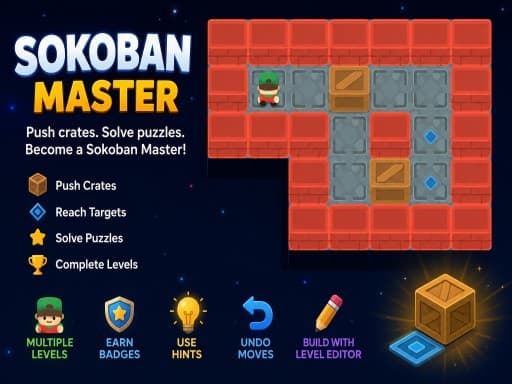
Sokoban Master
4.0A clean take on the 1982 crate-pushing classic with undo, star ratings for efficient solutions and a level editor. Best played with arrow keys.
Read the review → Racing
Crazy Moto
4.0A 2D motorbike stunt game with 22 levels of loops, barrels and collapsing platforms, timed three-star ratings and flips that feed a score. Keyboard is best.
Read the review → Sports
Toy Soccer Cup
3.5Turn-based tabletop football where you flick miniature players to pass and shoot. Quick Match, Tournament, same-device two-player and an online mode.
Read the review →Keep reading
- explainer
Keyboard or touch? How browser game controls really behave.
Why arrow keys and WASD coexist, what key repeat and ghosting do to your inputs, the five kinds of touch control, and how to read a review's controls box.
- explainer
How browser games save your progress (and why it sometimes disappears)
Where a browser game keeps your levels, stars and unlocks, why the save is tied to one browser on one device, and the three things that wipe it without warning.
- opinion
What makes a good puzzle difficulty curve? A game developer's view.
A mobile puzzle developer on safe first levels, the aha moment, plateaus versus spikes, timers, undo and stars, tested against sudoku, sokoban and 2048.