Sudoku: Classic Minimalism review
A no-frills 9x9 sudoku built for a phone held upright. The rules are the standard three and nothing gets between you and the grid. Good for a quiet break.
Sudoku: Classic Minimalism
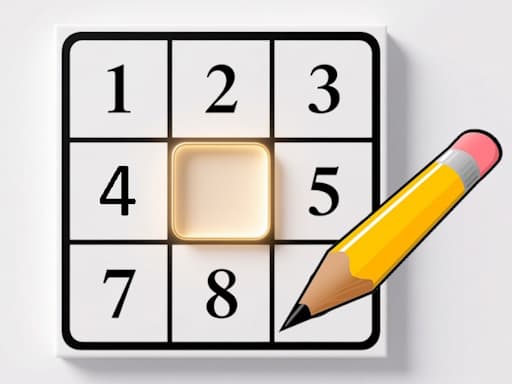
Loads the game in this frame. Nothing is installed; the game runs in your browser tab.
The game is made by its developer and served through its distributor, GameMonetize. It may show its own adverts inside the frame. Read our editorial policy for how we choose what to list.
Controls
Keyboard & mouse
- Click an empty cell to select it
- Click a digit on the number pad to place it
- Mouse only; the canvas is a phone shape
Phone & tablet
- Tap a cell, then tap a digit
- Portrait layout; hold the phone upright
What it is
Sudoku needs almost no introduction, which is exactly what this build is counting on. You get a 9x9 grid divided into nine 3x3 boxes, some cells already hold digits, and you fill the rest so that every row, every column and every box contains 1 to 9 exactly once. It is a pure placement problem; the digits could be letters or colours and nothing would change.
The 'Classic Minimalism' in the title is a design statement. The game is built as a tall portrait screen, the grid takes up most of it, and the listing promises nothing beyond the puzzle itself. The catalogue tags it as endless, which I read as generated puzzles rather than a fixed book of them, so you should not run out.
How it plays
Input follows the pattern every phone sudoku has settled on: select a cell, then choose a digit from a pad. On a phone in portrait that is comfortable, with the pad falling under your thumb. On a desktop the same 1080 by 1920 canvas becomes a tall column in the middle of the browser window, and you click the pad with a mouse rather than pressing number keys. It works, but a laptop is clearly the second-class citizen here.
With the presentation stripped back, the pace is entirely yours: nothing pushes you along and nothing waits to be unlocked. Whether that is a relief or a lack of incentive depends on why you play sudoku.
Tips that actually help
Sudoku is a game of elimination, not intuition. Guessing works on easy grids and collapses on hard ones, because a wrong guess only reveals itself twenty placements later. These habits get you through most puzzles without a single guess.
- Start with the digit that already appears most often on the grid. If a digit is placed seven times, the remaining two placements are usually forced by the rows and columns those seven occupy.
- Scan in bands. Take three horizontal boxes at a time and look for a digit present in two of them; the third box has only one row left for it, and often only one free cell in that row.
- Look for cells with a single candidate, then for digits with a single possible cell in a box. These are the two forms of a 'single' and they solve every easy and most medium grids on their own.
- When you stall, pick one box and work out the candidates for each empty cell. Two cells that share the same two candidates lock those digits out of the rest of the box.
- Recheck your placements when you feel clever. A single wrong digit makes the rest of the grid impossible, and the error is always the placement you were surest about.
Solving techniques beyond the basics
Once singles run dry, the next tools are pairs and pointing. A naked pair is two cells in the same unit whose only candidates are the same two digits; those digits can be crossed off every other cell in that unit. A pointing pair is a digit whose only two possible cells in a box lie in the same row or column, which removes that digit from the rest of that line outside the box. Together these two ideas clear most grids labelled hard. Anything beyond that, X-wings and chains, is rarely needed, and since the listing does not mention pencil marks you should be prepared to hold the notation in your head or on paper if you want to go that deep.
Where it falls short
Minimalism cuts both ways. The listing does not mention difficulty selection, pencil marks, mistake checking or a timer, and I would not assume any of them are present. The portrait canvas is a poor fit for a desktop monitor, where you end up with a narrow strip of grid and a lot of empty margin. And nothing here distinguishes it from any other competent sudoku; it is the puzzle, done plainly, and the puzzle is doing all the work.
What works
- A grid you can actually read
- Comfortable one-handed play in portrait
- Nothing to learn beyond sudoku itself
What holds it back
- Awkward tall layout on a desktop
- Listing is silent on hints, pencil marks and difficulty
- Indistinguishable from other plain sudokus
Verdict
3.5This is sudoku with the volume turned down, and if that is what you want it does the job on a phone. Regular solvers who rely on pencil marks and a difficulty picker should check whether those exist before settling in, because the listing does not promise them. On a desktop I would pick something built for a wide screen instead.
Questions people ask
- What are the rules of sudoku?
- Fill every empty cell with a digit from 1 to 9 so that each row, each column and each of the nine 3x3 boxes contains every digit exactly once.
- Does it work on a phone?
- Yes, and that is the intended device. The game is built as a 1080 by 1920 portrait screen, so hold your phone upright and the grid and number pad fill it properly.
- Is there a time limit?
- The listing does not mention a timer, and nothing in the standard rules needs one. Take as long as you like.
- Can I play it on a laptop?
- You can, with the mouse, but the portrait canvas shows as a tall column with empty space either side. It is playable rather than pleasant.
If you liked this, try
 Puzzle
Simple Nonogram
3.0A bare-bones picture-logic puzzle: fill cells so the row and column counts line up and an image appears. No timer, no clutter, works with mouse or touch.
Read the review → Puzzle
Minesweeper: Find Bombs
3.5A Godot-built minesweeper that swaps the classic board-size picker for a run of levels. Left-click opens a cell, a long press flags it. Best played at a desk.
Read the review → Puzzle
2048 Premium
3.5The 2014 sliding-tile puzzle with a wardrobe: 4x4, 5x5 and 6x6 boards plus Undo, Swap and Delete tools. Arrow keys on a desktop, swipes on a phone.
Read the review → Puzzle
Solitaire 8 Collection
4.5Eight solitaire variants under one menu, every deal checked to be solvable, with unlimited undo, hints and a shared daily challenge. Strongest on a desktop.
Read the review →Guides that mention this game
- explainer
Keyboard or touch? How browser game controls really behave.
Why arrow keys and WASD coexist, what key repeat and ghosting do to your inputs, the five kinds of touch control, and how to read a review's controls box.
- how-to
Browser game running slowly? Nine fixes that actually work
Why a browser game stutters when the rest of the web feels fine, and the settings to check on a laptop, a phone and a Chromebook, in the order most likely to help.
- how-to
Playing browser games on a Chromebook: what runs well and what to skip.
Chromebooks run the same Chrome as a desktop, so HTML5 games just work. Where 3D WebGL games stutter and why, plus which reviewed games suit the hardware.