A parent's guide to browser games: what to check before you say yes.
How browser games are funded, what they store, how to read a review for age fit, which games connect to strangers, and what this site refuses to list.
Browser games are the easiest kind for a child to reach: no store, no install, no password, a search and a click. That is also why parents ask me about them more than about anything else I do. The short version is that most browser games are harmless, a few are unsuitable, and the difference is visible in about two minutes if you know where to look. This guide is where to look.
Free usually means advertising, and that is where the ads live
Almost every browser game is free to play and paid for by advertising. The advertising is not on the page around the game; it is inside the game's own frame, shown by the game's distributor before the game starts or between levels. The site you are on, this one included, does not choose those ads and cannot see them in advance. That matters because it sets expectations: a game page can be carefully selected and the ad break inside the frame can still be a thirty-second clip for something you would rather your child had not seen.
Some games also offer an optional in-game bonus for watching an extra ad. A child will take that offer every time. It costs nothing, but it means more ad time than the game needs, and it is worth explaining that the bonus is a trade, not a gift.
No download does not mean no data
A game that runs in a tab still leaves things behind. It saves progress in the browser's storage on the device, which is harmless and useful, and it is the reason a child's unlocked levels survive between visits. The advertising inside the frame is a separate matter: ad networks commonly set cookies and use identifiers to decide what to show and to count views. On this site, the cookie policy in the footer describes what the page itself sets; what happens inside the game frame is governed by the distributor's own policy, and in some regions a consent prompt appears before ads load.
If you want to limit this, the browser's own tools work. Clearing site data removes both saves and cookies. An incognito or private window keeps nothing after it closes. Blocking third-party cookies is the bluntest tool, and it has a side effect: the game frame counts as a third party, and in some browsers that setting also stops the game keeping its saves. None of these stop the games running. Are browser games safe? has the technical detail on frames and what a game can and cannot reach on your machine.
Reading a review for age suitability
Every review on this site has a "What it is" section that says plainly what the game is about, and a facts box that gives the mode: single player, two players on one device, or online. Between them they answer the three questions that matter. Is the theme fine for this child? How is conflict shown, if there is any? Does the game connect to anyone else?
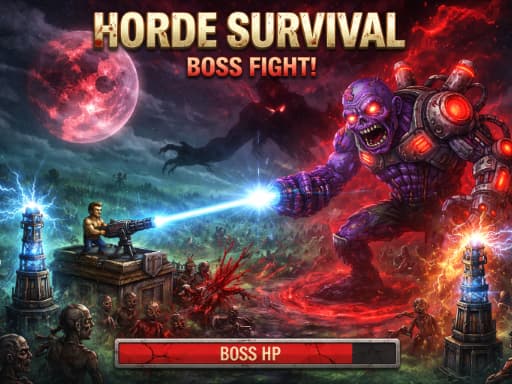
On theme and violence, the range here is narrow by design, but it is not zero. Terrifying Zombies: Tower Defense II is a shooting-and-defence game with blood in it; I would not put it in front of a young child. Stickboy War is warfare with stick figures, which most parents will judge differently. The puzzle and sports categories, Simple Nonogram, Sokoban Master, Neon Mini Golf and the like, have nothing to flag at all. When a review does not mention violence, theme or chat, there is nothing to mention; I would rather say nothing than pad a review with reassurance.
Chat and online opponents
Most games here are single player, and a fair number offer two players on the same keyboard, which is the safest kind of multiplayer there is: the other player is in the room. A few connect to other people over the internet. Toy Soccer Cup has an online multiplayer mode alongside its same-device one, and Motorcycle Stunt Racing 2025 lists an eight-player online freestyle mode. Online play in a browser game is usually anonymous and short, and I note text chat in a review when I find it. The safer assumption with any online mode is that a stranger might be able to type at your child, so check the review and the game's own settings before allowing it.
If you want the social part without the internet, Neon Ping Pong and Basketball League both run two players on one keyboard, and both are short matches.
Time limits that hold
Minute-based limits fail with games because a game does not end on the minute. Level-based limits work: three holes of mini golf or two boards of minesweeper ends at a natural stop, and the child does not feel robbed. Every review here states a typical play time, and the games with short, bounded rounds are the ones that make limits easy. The ones to watch are endless runners and arena games, where a run has no natural end and a good run is exactly the thing a child will not want to abandon. Nine browser games that fit a ten-minute break is a list built on the same logic and works as a starting point.
Sit with them for the first play
The most useful five minutes you can spend is the first five minutes of a new game, sitting next to the child. You will see the ad that plays before the game starts, what the menu offers, what happens on a loss, and whether any button leads out of the game: a share button, a link to another site, a prompt to install something. The games here are chosen not to do that last one, but the habit is a good one for any site. It also tells you something reviews cannot, which is whether this particular child finds the game fun or frustrating.
What this site does not list
I select the games here, and there are three things I refuse. No gambling mechanics: no casino-style games, no wagering, nothing where money or a stand-in for it is staked on chance. No adult themes: nothing sexual, no realistic gore, nothing that would carry an adult rating if it were sold in a shop. And no games that push you off the page to install something: no app-store prompts dressed up as gameplay, no download-to-continue. Beyond those hard lines I pass on anything I would not want under my name, a softer test but a real one. If you find a game here that breaks any of this, the contact page is in the footer and I would like to know.
Questions people ask
- Do the games need an account or a sign-up?
- No. I do not list games that require an account to start playing. Some online modes may ask for a nickname, and a few games offer to share a score, but nothing is needed to play the single-player parts.
- Can a browser game install anything on the computer?
- Not on its own. A game runs inside a frame that the browser keeps separate from the rest of the machine, and it cannot write files or install software without a download that you would have to approve. The thing to watch is a game that asks you to download something; the games here are chosen not to.
- Is a school Chromebook any different?
- Only in who controls it. School-managed devices follow the school's own policies about which sites open, and the rest of this guide applies unchanged. Playing browser games on a Chromebook covers the practical side.
- What age are these games for?
- The site does not carry formal age ratings, because the games do not come with them. Read the "What it is" section and the mode in the facts box. For a child under about eight I would stay in the puzzle and sports categories and sit in for the first play of anything else.
Games mentioned in this guide
 Arcade
Terrifying Zombies: Tower Defense II
3.5A 2D zombie defence that mixes towers with your own shooting: personal kills earn the most XP, damage scales with days survived, and a boss is on a countdown.
Read the review → Arcade
Stickboy War
3.5A 2D stickman siege game: dig for gold, field a mix of diggers, shield-bearers, archers and bombers, and break the enemy gate across ten-plus campaign levels.
Read the review → Puzzle
Simple Nonogram
3.0A bare-bones picture-logic puzzle: fill cells so the row and column counts line up and an image appears. No timer, no clutter, works with mouse or touch.
Read the review →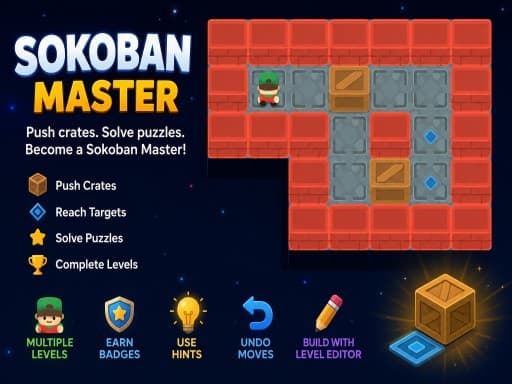 Puzzle
Sokoban Master
4.0A clean take on the 1982 crate-pushing classic with undo, star ratings for efficient solutions and a level editor. Best played with arrow keys.
Read the review →Keep reading
- explainer
Are browser games safe? What a game in an iframe can and cannot do
How a browser game is walled off from the page around it, what it can store, what it cannot reach, and the handful of warning signs that mean you should close the tab.
- list
Nine browser games that fit a ten-minute break.
Nine reviewed games chosen for round length, quick starts and how easily you can stop: minesweeper, 2048, solitaire, ping pong, mini golf and more.
- how-to
Playing browser games on a Chromebook: what runs well and what to skip.
Chromebooks run the same Chrome as a desktop, so HTML5 games just work. Where 3D WebGL games stutter and why, plus which reviewed games suit the hardware.